 Norami Docs
Plans & changing plans
Compare plan limits and switch when your workspace outgrows one.
Your plan sets your workspace limits — how many teammates you can invite, how many assistants you can build, and the monthly usage allowance included. For current pricing, see norami.ai.
What each plan includes
| Plan | Teammates | Assistants | Monthly usage allowance |
|---|---|---|---|
| Starter | Up to 5 | Up to 2 | $50/mo |
| Team | Up to 15 | Up to 6 | $150/mo |
| Enterprise | Custom limits | Custom limits | Contact us about Enterprise |
The monthly usage allowance is credited to your wallet each billing period. See How billing works for how the wallet and top-ups work.
Change your plan
Open Billing
Open the menu at the bottom of the sidebar and choose Workspace, then select Billing. Only workspace owners can change plans.
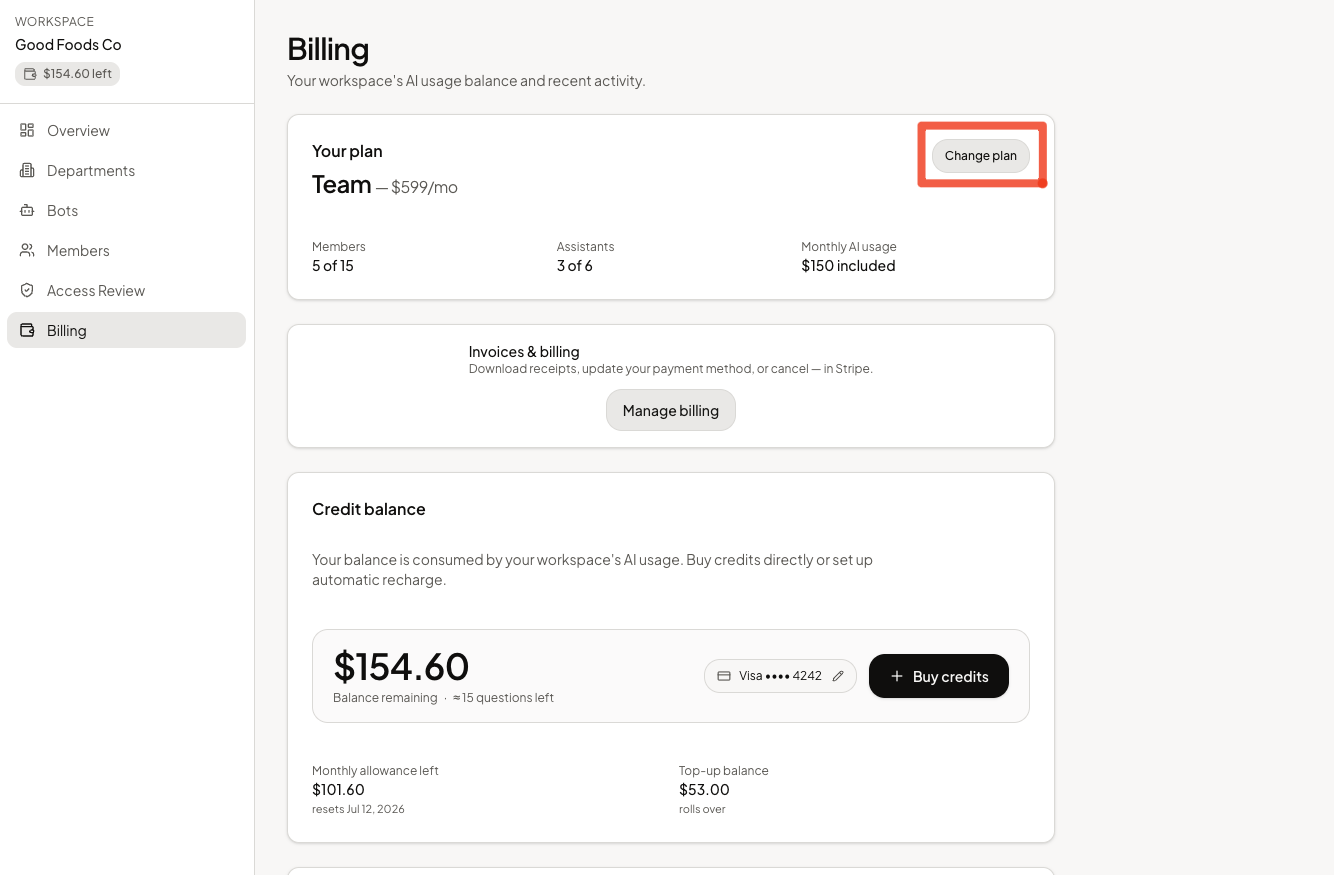
Select Change plan
On the "Your plan" card, select Change plan and pick the plan you want.
Confirm
- Upgrading takes effect immediately. You'll see the prorated charge before you confirm.
- Downgrading is scheduled for the end of your current billing period —
you'll see
Scheduled: switches to {plan} on {date}until then.
A downgrade is blocked while you have more teammates or assistants than the smaller plan allows. Remove teammates or archive assistants first, then try again.
If you hit a limit
Inviting a teammate past your seat cap, or adding an assistant past your assistant cap, shows an upgrade prompt that links back to this Billing page so you can change your plan.